
Ripple and Noise: What Those Millivolts Actually Mean
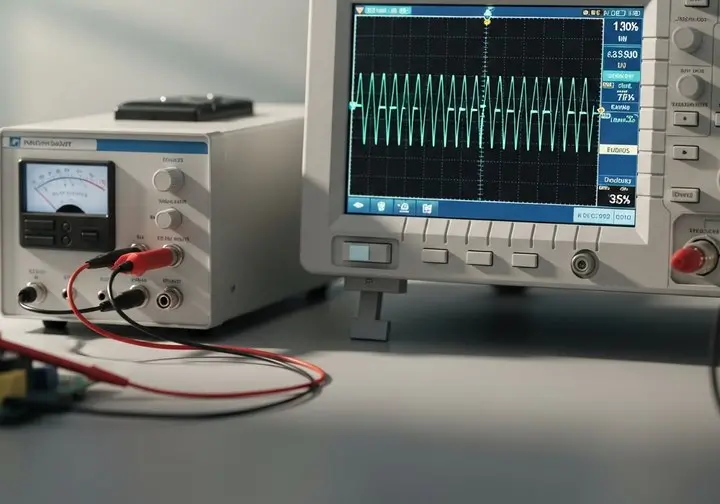
Every switching supply puts a small alternating component on top of its DC output. Datasheets quote it as a single figure in millivolts peak-to-peak, which makes supplies look easy to compare. They are not, because the figure depends heavily on how it was measured.
Two different things in one number
Ripple is the periodic part — it tracks the switching frequency, with a slower component related to the mains. Noise is the fast spikes thrown off as the switching devices turn on and off. They have different causes and different cures, which is why a supply can look fine on a slow timebase and awful on a fast one.
Why the measurement matters so much
- Bandwidth. The figure is normally quoted over a limited bandwidth, commonly 20 MHz. Measure with a wider bandwidth and you will legitimately see more.
- Probe technique. A long probe ground lead is an aerial. It picks up radiated switching noise that is not actually on your rail, and can easily double the reading.
- Load. Ripple changes with load current, input voltage and temperature. A no-load figure tells you little about your application.
If you are chasing a number that does not match the datasheet, suspect the measurement first — use a short ground spring and the stated bandwidth before concluding the supply is at fault.
Reducing it
Local decoupling at the load does most of the work. Where a rail feeds sensitive analogue or RF circuitry, an LC filter or a low-noise linear regulator after the switcher is the usual answer. Be aware that adding large capacitance at the output affects start-up behaviour, so check inrush and any minimum-load requirement as well.
Working to a specific ripple budget? Tell us your requirements and we may be able to recommend a suitable solution.